

Introduction
In today’s fast-paced world, convenience and efficiency are key. Among the many smart home devices revolutionizing modern living, WiFi thermostats stand out as a game-changer in climate control. These innovative devices not only help save energy but also allow you to manage your home’s temperature from anywhere. In this guide, we’ll explore everything you need to know about WiFi thermostats, their benefits, features, and how to choose the perfect one for your needs.
| Category | Details |
| What is a WiFi Thermostat? | A device that connects to your home’s heating and cooling system, allowing remote control via smartphone, tablet, or computer. |
| How It Works | Wireless connectivity Mobile app integration Sensors and data (temperature, humidity) Smart adjustments based on preferences and schedules |
| Benefits of Using a WiFi Thermostat | Energy Efficiency: Saves on utility bills by optimizing energy usage Remote Access: Control from anywhere Personalized Comfort: Room-specific control Easy Integration: Works with Alexa, Google Assistant, etc. Environmental Benefits: Reduces carbon footprint Convenience: Real-time updates and alerts |
| Tips for Maximizing Potential | Set schedules Use geofencing Monitor energy usage Keep firmware updated Pair voice with other smart devices Use control |
| Top Features to Look For | Compatibility with HVAC systems Smart learningGeofencingMulti-zone control Voice control Energy reports Easy installation |
| Installation Steps | Turn off power Remove the old thermostat Mount new thermostat Power up and connect to WiFi Configure settings via the app |
| Are WiFi Thermostats Worth It? | Yes, they provide energy savings, convenience, and enhanced comfort, making them a great long-term investment. |
| Popular Models | Nest Learning Thermostat: Smart learning and sleek design eco bee SmartThermostat: Built-in Alexa, multi-zone control Honeywell Home T9: Precise control and geofencing Emerson Sensi Touch: Budget-friendly, touchscreen interface |
Enhanced Comfort and Smart Home Integration
One of the standout advantages of Wi-Fi thermostats is their ability to seamlessly integrate with modern smart home ecosystems, bringing together comfort and convenience in one device. Unlike traditional thermostats that require manual adjustments, Wi-Fi thermostats allow users to remotely control temperature settings from a smartphone or tablet, ensuring your home is always at the ideal climate no matter where you are. With features like scheduling, personalized comfort zones, and compatibility with voice assistants such as Alexa and Google Assistant, these smart systems not only enhance daily comfort but also contribute to a more cohesive and responsive home automation setup.
What is a WiFi Thermostat?
A WiFi thermostat is a device that connects to your home’s heating and cooling system, allowing you to control the temperature through a smartphone, tablet, or computer. Unlike traditional thermostats, WiFi thermostats use wireless internet connectivity to enable remote access and advanced scheduling features.
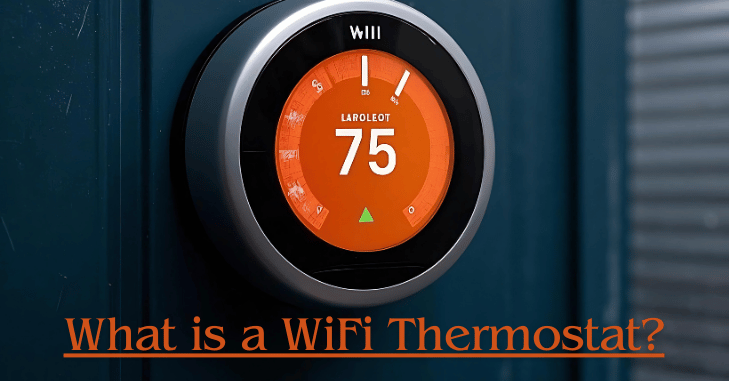
Whether you’re at home, at work, or on vacation, you can adjust your thermostat with just a few taps. They also offer a user-friendly interface and smart learning capabilities to make climate control effortless.
Additionally, WiFi thermostats often include a range of innovative technologies such as geofencing, voice control, and multi-zone functionality. These features not only simplify your life but also make it easier to maintain optimal comfort levels throughout your home. Whether you’re tech-savvy or new to smart devices, WiFi thermostats cater to all experience levels.
How Does a WiFi Thermostat Work?
WiFi thermostats work by connecting to your home’s HVAC (heating, ventilation, and air conditioning) system. Here’s how they operate:

- Wireless Connectivity: The thermostat connects to your home’s WiFi network, enabling seamless communication with your mobile devices.
- Mobile App Integration: A dedicated app lets you control the thermostat remotely, whether you’re at home or away.
- Sensors and Data: Built-in sensors measure indoor temperature and humidity, while some models also use geofencing technology to detect when you’re home or away.
- Smart Adjustments: Based on your preferences and schedules, the thermostat adjusts the temperature automatically to maintain comfort and save energy.
Moreover, many models come equipped with advanced AI learning capabilities. Over time, they adapt to your habits and make proactive adjustments, ensuring your home is always at the perfect temperature.
Benefits of Using a WiFi Thermostat
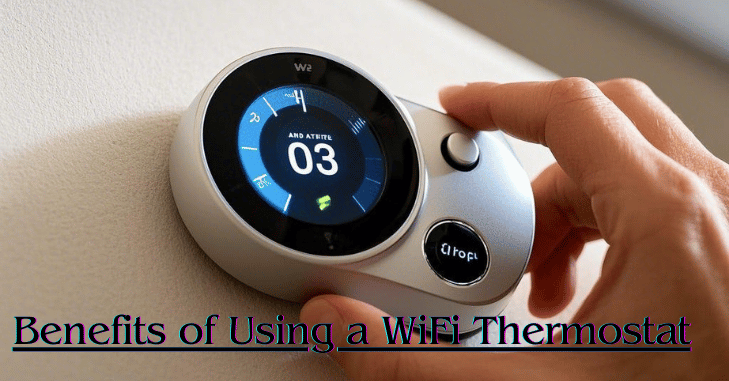
Investing in a WiFi thermostat comes with numerous advantages:
1. Energy Efficiency
WiFi thermostats optimize energy usage by learning your habits and adjusting settings accordingly. This can lead to significant savings on your utility bills. Some models also provide detailed energy usage reports, helping you identify areas for further savings.
2. Remote Access
Whether you’re lounging on the couch or traveling abroad, you can control your home’s temperature from anywhere. This flexibility ensures that your home is always comfortable, no matter where you are.
3. Personalized Comfort
With features like room-specific control and advanced scheduling, you can create a comfortable environment tailored to your needs. Multi-zone control allows you to set different temperatures for various areas of your home.
4. Easy Integration with Smart Home Systems
WiFi thermostats often integrate seamlessly with other smart devices like Amazon Alexa, Google Assistant, and Apple HomeKit, making your home automation experience even smoother.
5. Environmental Benefits
By reducing energy consumption, WiFi thermostats help decrease your carbon footprint, contributing to a greener planet. Their eco-friendly design aligns with sustainability goals, making them a responsible choice for modern households.
6. Convenience and Control
The ability to monitor and adjust your home’s temperature from anywhere provides unmatched convenience. Real-time updates and alerts ensure you’re always informed about your home’s climate conditions.
Tips for Maximizing Your WiFi Thermostat’s Potential
To get the most out of your WiFi thermostat, follow these tips:

- Set realistic schedules to maintain a steady, comfortable temperature without wasting energy.
- Use geofencing to automate temperature adjustments when you leave or return home.
- Monitor energy usage by reviewing energy reports, which can help you identify areas for savings.
- Keep the device’s firmware updated to ensure smooth operation.
- Pair the thermostat with other smart home devices for a seamless and cohesive smart home experience.
- Take advantage of voice control features to adjust settings effortlessly.
Top Features to Look For in a WiFi Thermostat
When choosing a WiFi thermostat, consider the following features:
1. Compatibility with HVAC Systems
Ensure the thermostat is compatible with your heating and cooling system. Some models work with specific systems, while others are universal.
2. Smart Learning
Look for thermostats with learning capabilities, such as recognizing your temperature preferences and daily routines.
3. Geofencing
Geofencing uses your smartphone’s location to determine when you’re home or away, automatically adjusting the temperature for optimal efficiency.
4. Multi-Zone Control
If you have a large home, a thermostat with multi-zone control can help you manage different areas more effectively.
5. Voice Control
Voice-enabled thermostats allow you to adjust the temperature using commands through virtual assistants, adding an extra layer of convenience.
6. Energy Reports
Some thermostats provide detailed energy usage reports, helping you understand and optimize your consumption patterns.
7. Easy Installation
Look for models with straightforward installation instructions or compatibility with professional installation services. Many DIY-friendly options are available for first-time users.
Checking Compatibility Before Buying a WiFi Thermostat
Before purchasing a WiFi thermostat, it’s important to confirm that it is compatible with your existing HVAC system. Not all thermostats work with every heating and cooling setup, especially older systems or those without a C-wire (common wire), which many smart thermostats require for continuous power.
Some models offer adapters or battery-powered alternatives, but compatibility should always be verified in advance. Taking the time to check your wiring, system type, and voltage requirements can prevent installation issues and ensure your new thermostat functions efficiently from day one.
How to Install a WiFi Thermostat?
While some WiFi thermostats require professional installation, many are designed for DIY enthusiasts. Follow these steps:
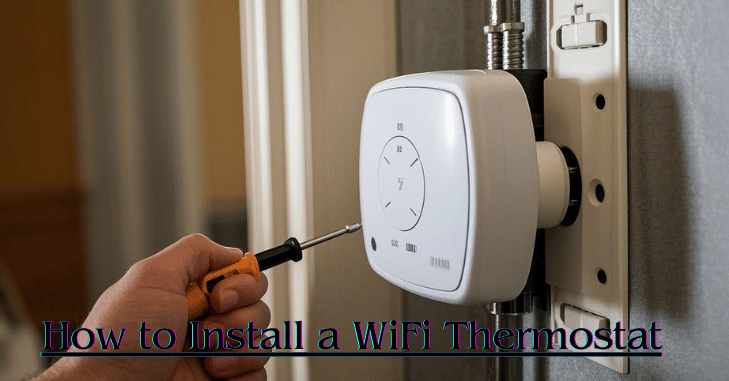
- Turn Off Power: Shut off the power to your HVAC system to ensure safety.
- Remove Old Thermostat: Carefully disconnect and label the wires from your old thermostat.
- Mount the New Thermostat: Attach the new thermostat’s base to the wall and connect the wires as instructed.
- Power Up: Turn the power back on and follow the on-screen instructions to connect the thermostat to your WiFi network.
- Configure Settings: Download the app and customize your preferences for a personalized climate control experience.
If you’re unsure, consider hiring a professional to handle the installation. Proper setup is key to ensuring optimal performance.
Are WiFi Thermostats Worth It?
For many homeowners, a WiFi thermostat is a worthwhile investment. The convenience, energy savings, and enhanced comfort they provide make them an excellent addition to any modern home. Although the initial cost might be higher than traditional thermostats, the long-term benefits often outweigh the upfront expense.
WiFi thermostats also offer peace of mind. With remote access and real-time updates, you’re always in control, ensuring your home remains comfortable and energy-efficient at all times.
Popular WiFi Thermostat Models
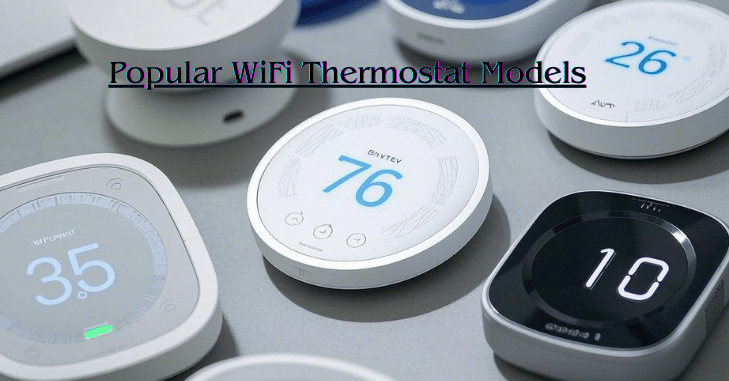
Here are some of the most popular WiFi thermostats on the market:
1. Nest Learning Thermostat
Known for its sleek design and smart learning features, the Nest Learning Thermostat is a top choice for homeowners. It’s user-friendly and adapts to your preferences over time.
2. ecobee SmartThermostat
With built-in Alexa and advanced room sensors, the ecobee SmartThermostat offers excellent value and functionality. Its multi-zone control makes it ideal for larger homes.
3. Honeywell Home T9
This thermostat provides precise temperature control and integrates seamlessly with other smart home devices. Its geofencing capabilities ensure maximum efficiency.
4. Emerson Sensi Touch
A budget-friendly option with an easy-to-use touchscreen interface and reliable performance, perfect for first-time users.
Conclusion
WiFi thermostats represent the future of home climate control, offering unparalleled convenience and energy efficiency. Whether you’re looking to reduce utility costs, minimize your environmental impact, or enjoy a smarter home, a WiFi thermostat is a step in the right direction. By understanding the features and benefits, you can make an informed decision and take control of your home’s comfort like never before.
With so many models and features available, there’s a WiFi thermostat to suit every household. Upgrade your home today and experience the difference that smart climate control can make.
Apart from that if you want to know about “EarFun Air Pro 3: Premium Wireless Earbuds with Active Noise Cancellation, Impressive Sound Quality, and Extended Battery Life” then please visit our “Tech” Category.
FAQs
You may preset and automate temperature settings with a smart thermostat, often referred to as a linked or communicative thermostat, according to your heating and cooling requirements, daily routines, and the weather.
A smart thermostat may learn your routines and preferred temperature over time and make modifications automatically, but a WiFi thermostat can only make changes when you instruct it to.
By selecting a wireless thermostat, you may save energy waste and operating expenses by eliminating the need to make decisions the night before about whether or not to turn on your heating the following day!
Installing a smart thermostat is possible. You don’t have a ‘c’ cable, but many thermostats can get past it (for example, Ecobee has an adaptor, and Nest can).
Wi-Fi thermostats connect to your home network and communicate with an app or web interface. This enables real-time temperature control, scheduling, and system monitoring from anywhere with an internet connection.

