Introduction
The Dell Inspiron 15 3000 series is a budget-friendly and dependable choice among laptops. Designed primarily for everyday users, students, home office workers, and casual professionals, it delivers decent all-around performance at an affordable price.
In this extended article, we’ll dive deep into every aspect of the Dell Inspiron 15 3000 including its specifications, design, build quality, performance benchmarks, software ecosystem, connectivity options, and more. Whether you’re looking to buy this machine or are just curious about its capabilities, here’s everything you need to know and then some.
| Feature | Details |
|---|---|
| Model | Dell Inspiron 15 3000 |
| Display | 15.6″ HD (1366 x 768) or Full HD (1920 x 1080), non-touch or optional touch |
| Processor Options | Intel Core i3 / i5 / i7 (10th to 13th Gen) |
| Graphics | Intel UHD Graphics / Intel Iris Xe Graphics |
| RAM | 4GB / 8GB / 12GB DDR4 (upgradeable) |
| Storage | 128GB / 256GB SSD or 1TB HDD (or combination) |
| Operating System | Windows 10 or Windows 11 |
| Battery Life | 5–7 hours (light use), 3–4 hours (heavy use) |
| Charging | 45W or 65W charger, Rapid Charge on select models |
| Audio | Stereo speakers with Waves MaxxAudio Pro |
| Webcam & Microphone | 720p HD webcam, integrated mic, some models with noise suppression |
| Keyboard | Full-sized with numeric keypad, island-style keys, spill-resistant (varies) |
| Backlit Keyboard | Not available in most models |
| Touchpad | Windows Precision drivers, multi-touch gestures, palm rejection |
| Ports | 2 x USB 3.2, 1 x USB 2.0, 1 x HDMI 1.4, SD card reader, 3.5mm audio jack |
| Wireless Connectivity | Wi-Fi 5 (802.11ac), Bluetooth 4.0 / 5.0 (varies by model) |
| Weight | Approx. 4.4 lbs (2.0 kg) |
| Build Material | Plastic chassis |
| Color Options | Black, Silver, or select regional variations |
| Use Case | Everyday computing, web browsing, documents, media playback |
| Not Ideal For | Gaming, video editing, or high-performance tasks |
Dell Inspiron 15 3000
The Dell Inspiron 15 3000 is an affordable and reliable laptop for everyday computing. Its 15.6-inch display provides a comfortable viewing experience for browsing the web, watching videos, and handling light multitasking.
Available in various configurations, it offers options like Intel Core i3, i5, or i7 processors and a range of RAM and storage choices to suit different user preferences. Whether you’re a student, home office worker, or casual user, this laptop delivers solid performance for routine tasks.
While it may not be suitable for heavy gaming or professional-grade tasks like video editing, the Inspiron 15 3000 stands out for its affordability, decent battery life, and durable design. It is an excellent choice for those seeking a budget-friendly, no-frills laptop.
Design and Build Quality
The Dell Inspiron 15 3000 embraces a minimalist design, prioritising functionality and comfort over luxury. Despite its plastic build, the laptop feels fairly robust, with minimal flex in the keyboard deck and screen.
In some markets, the laptop is available in different colours, with black being the most common. It is not the most portable device, but it is still manageable for those who carry their laptops in backpacks or laptop bags daily.
Display
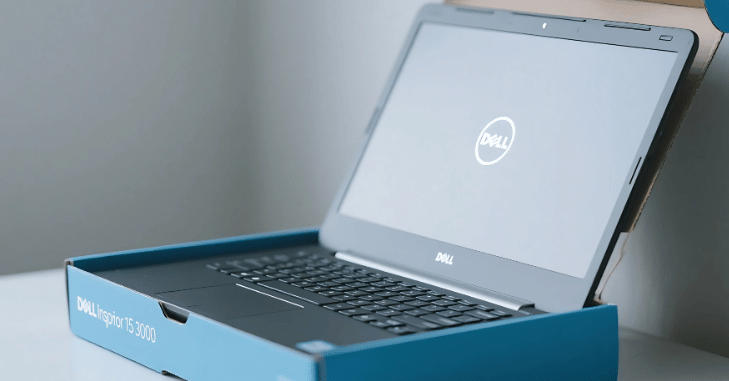
The Dell Inspiron 15 3000 features a 15.6-inch LED-backlit display, available in HD and Full HD options depending on the model. Though the screen is not the most vibrant on the market, it is well-suited for general computing and content consumption.
- Display Options:
- HD: 1366 x 768 resolution (TN panel)
- Full HD: 1920 x 1080 resolution (IPS in higher configurations)
- Other Display Features:
- Anti-glare coating to reduce reflections in bright environments
- 16:9 aspect ratio, which is standard for media playback
- Maximum brightness: Around 220-250 nits
The Full HD variant is preferable for those who watch many videos, edit documents side-by-side, or edit light photos. TN panels on lower-end models offer faster response times but limited viewing angles and colour reproduction.
Performance and Hardware
Performance varies widely depending on which configuration you choose. The Dell Inspiron 15 3000 comes with multiple options for processors, memory, storage, and graphics.
Processor Choices:
- Intel Celeron N4020 / N5030 (entry-level)
- Intel Pentium Silver series
- Intel Core i3 (10th to 13th Gen)
- AMD Athlon Silver
- AMD Ryzen 3 / Ryzen 5 (for better performance)
Graphics:
- Intel UHD Graphics (integrated)
- AMD Radeon Vega 3/8 (for AMD variants)
- Memory (RAM):
- 4GB, 8GB, or 16GB DDR4 RAM
- Some models offer upgradable memory slots
Storage:
- SSD: 128GB / 256GB / 512GB / 1TB
- HDD: 500GB or 1TB in older or hybrid models
- Some units support both SSD and HDD via dual-drive bays
While the base model with a Celeron processor and 4GB RAM can manage simple tasks like web browsing and word processing, users looking for better performance should opt for models with at least a Core i3 or Ryzen 3 processor paired with an SSD.
Operating System and Software Suite
The laptop usually ships with either Windows 10 or Windows 11 Home Edition. Dell also includes several pre-installed applications to enhance the user experience.
- Included Software:
- Microsoft Office (trial version)
- McAfee Antivirus (30-day trial)
- Dell Mobile Connect (syncs phone with PC)
- Dell SupportAssist (system diagnostics and updates)
- My Dell and Dell Digital Delivery for driver updates and cloud services
Some configurations may also come with S Mode enabled, which can be switched to regular Windows mode for broader app support.
Keyboard and Touchpad
The Dell Inspiron 15 3000 is equipped with a full-sized keyboard and a dedicated numeric keypad, making it convenient for data entry and productivity tasks. The keyboard layout is spacious, with decent key travel, providing a comfortable typing experience even during extended use.
Many variants feature a spill-resistant design, though keyboard backlighting is absent in most models, which may be a drawback in low-light settings. The island-style keys enhance usability and accuracy.
Accompanying the keyboard is a responsive touchpad that supports Windows Precision drivers and multi-touch gestures like pinch-to-zoom, swiping, and scrolling
Ports and Connectivity
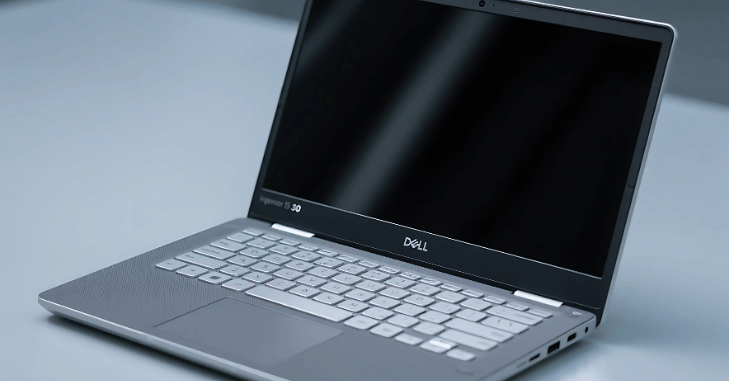
One of the highlights of Dell Inspiron 15 3000 is its comprehensive I/O selection. Whether you’re transferring files, connecting peripherals, or setting up external displays, the laptop has you covered.
Port Selection:
- 2 x USB 3.2 Gen 1 Type-A
- 1 x USB 2.0 Type-A
- HDMI 1.4 output (supports 1080p external monitors)
- SD card reader (full-sized)
- 3.5mm combo audio/mic jack
- RJ-45 Ethernet port (on selected models)
- DC-in power port
- Wireless Connectivity:
- Wi-Fi 5 (802.11ac) or Wi-Fi 6 (in newer versions)
- Bluetooth 4.2 / 5.0
Battery Life and Charging
Battery performance on the Dell Inspiron 15 3000 is decent but not industry-leading. A 3-cell 42Wh lithium-ion battery powers most units. While it may not last an entire workday unplugged, it holds up well for part-time users or students hopping between classes. For a closer look, see Ford Mustang Mach E Rally Explained in Detail.
The Dell Inspiron 15 3000 typically offers a battery life of around 5 to 7 hours during light to moderate usage, such as web browsing, document editing, or streaming videos. However, the battery life can drop to about 3 to 4 hours under heavier workloads like multitasking or video editing.
A standard 45W or 65W charger handles charging, and some newer models support rapid charging for quicker power top-ups. Regarding multimedia features, the laptop has a built-in webcam, microphone, and stereo speakers, making it suitable for video calls and basic audio needs.
Audio
The Dell Inspiron 15 3000 features stereo speakers tuned with Waves MaxxAudio Pro, offering decent sound quality with enough loudness for small rooms. The audio delivers clear mids and highs, although the bass is limited, which is expected in this price range.
The laptop’s top bezel houses a 720p HD webcam for video calls and online communication, as well as an integrated microphone suitable for video conferencing.
Some models also include noise suppression features to enhance voice clarity. While it’s not designed for professional streaming or content creation, it performs adequately for online meetings, webinars, and virtual classrooms.
Upgradability and Maintenance
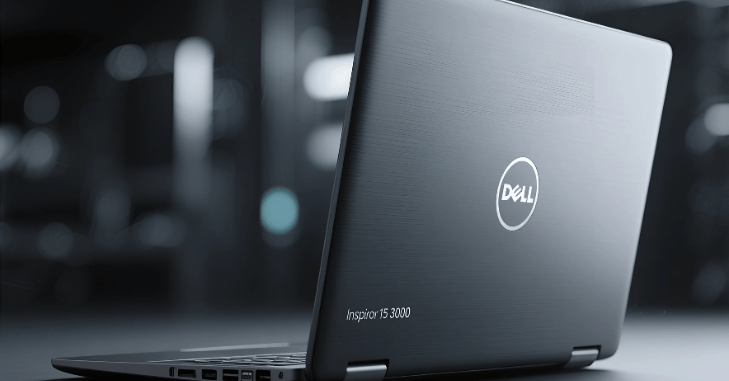
One of the practical advantages of the Dell Inspiron 15 3000 is its accessibility for upgrades and maintenance.
Upgrade Options:
- Expandable up to 16GB or more, depending on the motherboard
- Supports SSD and HDD replacements
- User-removable back panel for easy access
- This flexibility makes it ideal for users who want to start with a basic model and upgrade as their needs grow.
Conclusion
The Dell Inspiron 15 3000 is a practical and cost-effective choice for users who need a basic yet reliable laptop for school, office work, or everyday personal use. While it’s not suited for gaming or creative professionals, it offers much value for its price range.
Read More: – Dell XPS 16: The Ultimate Combination of Continuous Power, Incredible Performance, and Cutting-Edge Innovation
It covers the essentials well, from its upgradable components to a strong build and well-rounded connectivity. If you want a budget laptop that does the job with minimal fuss, the Dell Inspiron 15 3000 deserves a spot on your shortlist.
Whether you’re a student attending virtual classes, a professional drafting reports, or a casual user watching Netflix, this laptop can meet your needs without burning a hole in your wallet.
Apart from that if you want to know about “From Essays to Exams: Laptop for Students That Ace Every Academic Challenge” then please visit our “Tech” Category.
FAQs
The Dell Inspiron 15 3000 series is a budget-friendly laptop line that offers a balance of performance and affordability. It is designed for everyday tasks like web browsing, word processing, media consumption, and light multitasking.
The Dell Inspiron 15 3000 is not specifically designed for gaming, as it features integrated graphics. While it can handle light gaming or older games, it is unsuitable for running high-end modern games smoothly. For gaming, you’d need a laptop with dedicated graphics.
The Dell Inspiron 15 3000 typically does not come with a backlit keyboard. However, some specific models or configurations might offer this feature, so it’s best to check the specifications before purchasing.
The Dell Inspiron 15 3000 allows users to upgrade RAM and storage. Depending on the model and configuration, it usually has a few accessible RAM slots and an extra slot for an SSD or HDD.
Depending on the configuration, the Dell Inspiron 15 3000 typically comes with Windows 11 or Windows 10. You can choose between the Home and Pro versions.